

How to Protect Your Website from Hackers
Website security is one of the most important aspects of running a website. Every day, thousands of websites are targeted by hackers attempting to steal data, inject malware, or take control of servers.
If your website is not properly secured, it can lead to:
- Data theft
- Website downtime
- Loss of SEO rankings
- Google blacklisting
- Damage to your reputation
In this guide, you'll learn how to protect your website from hackers using proven security practices.
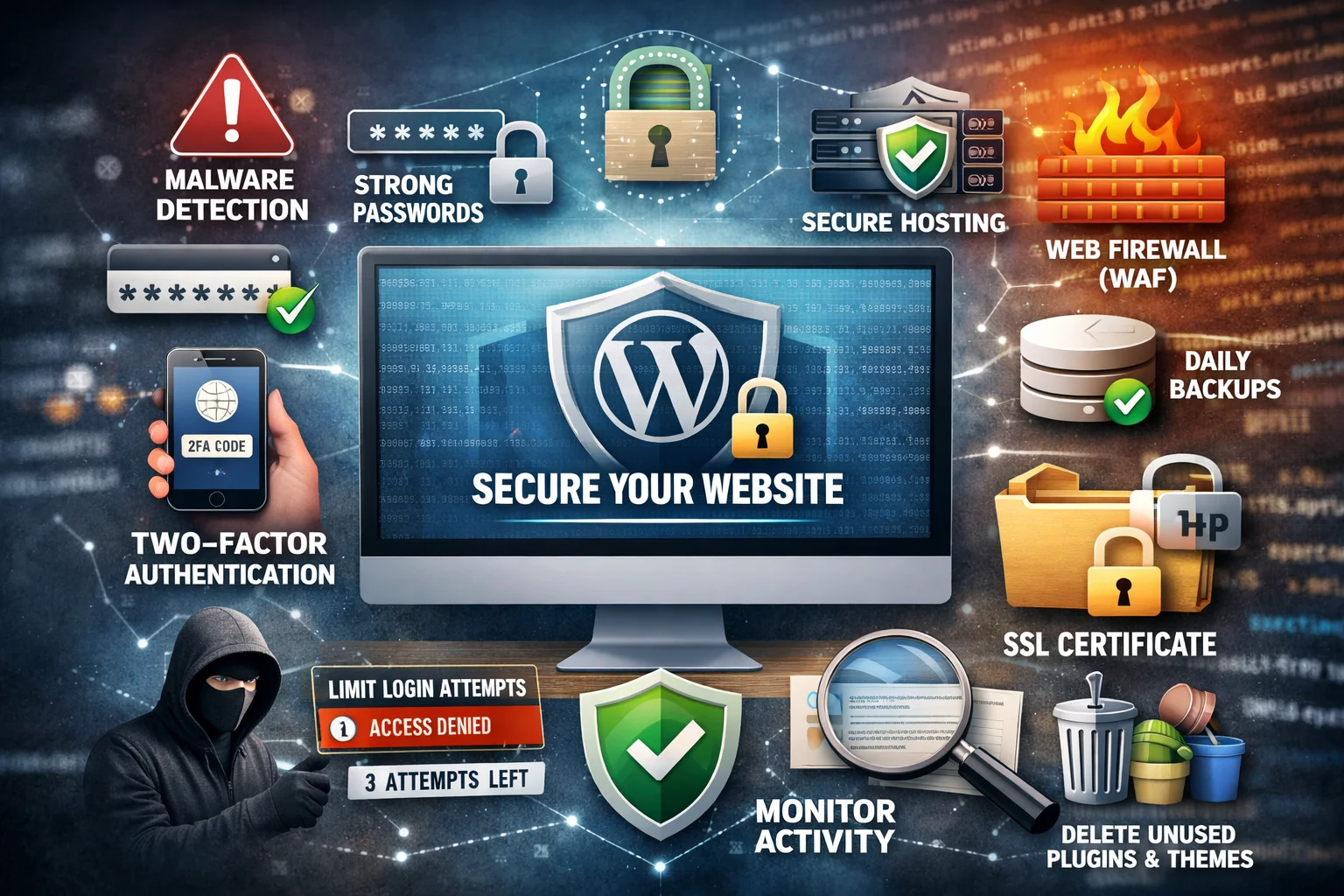
1. Use Strong Passwords
Weak passwords are one of the biggest security vulnerabilities.
Best practices include:
- Use passwords with 12+ characters
- Include uppercase, lowercase, numbers, and symbols
- Avoid common passwords like admin123
Using a password manager can help generate secure passwords.
2. Enable Two-Factor Authentication (2FA)
Two-factor authentication adds an extra security layer to your login process.
Even if someone steals your password, they still need a verification code to log in.
Common 2FA options include:
- Google Authenticator
- Authy
- SMS verification
3. Keep Your Software Updated
Outdated software is one of the most common ways hackers gain access to websites.
Always update:
- CMS platforms (WordPress, Joomla, etc.)
- plugins and themes
- server software
Updates often include important security patches.
4. Install an SSL Certificate
SSL encrypts data transferred between your website and visitors.
Benefits include:
- secure user data
- better trust with visitors
- improved SEO rankings
Make sure your website runs on HTTPS.
5. Use a Web Application Firewall (WAF)
A Web Application Firewall blocks malicious traffic before it reaches your website.
A WAF can protect against:
- SQL injection attacks
- cross-site scripting (XSS)
- brute-force login attacks
Firewalls are one of the most effective website security tools.
6. Secure Your Hosting Environment
Your hosting provider plays a major role in website security.
Look for hosting that provides:
- malware scanning
- server firewalls
- automatic backups
- DDoS protection
If you manage websites or client projects, platforms like this can simplify server security, backups, SSL management, and deployments:
https://go.airesearchplus.com/HostingManagement_GPTwebsite (Sponsored)
7. Backup Your Website Regularly
Backups are essential for recovering from security incidents.
Backup best practices:
- automatic daily backups
- offsite backup storage
- test backups regularly
If your website gets hacked, backups allow you to restore your website quickly.
8. Limit Login Attempts
Hackers often use brute-force attacks to guess passwords.
Limiting login attempts can prevent automated attacks.
Recommended settings:
- maximum 3–5 login attempts
- temporary IP blocking
9. Remove Unused Plugins and Software
Unused plugins and applications can create security vulnerabilities.
Best practices:
- delete unused plugins
- remove inactive themes
- install software only from trusted sources
Fewer plugins reduce potential attack surfaces.
10. Monitor Website Activity
Monitoring helps detect suspicious activity early.
Track:
- login attempts
- file changes
- admin actions
Security monitoring tools can alert you when unusual behavior occurs.
Final Thoughts
Protecting your website from hackers requires regular maintenance and proactive security measures.
By implementing these security practices, you can significantly reduce the risk of cyber attacks and keep your website safe.
A secure website not only protects your data but also ensures better performance, SEO rankings, and user trust.